Buying from the public
Record the seller’s ID, what they brought in, the weight and purchase price. Their purchase details become the receipt.

Buy from the public, tradies and businesses. Record the scrap, weight and price, with purchase receipts and supplier invoices (RCTIs) made from those details.
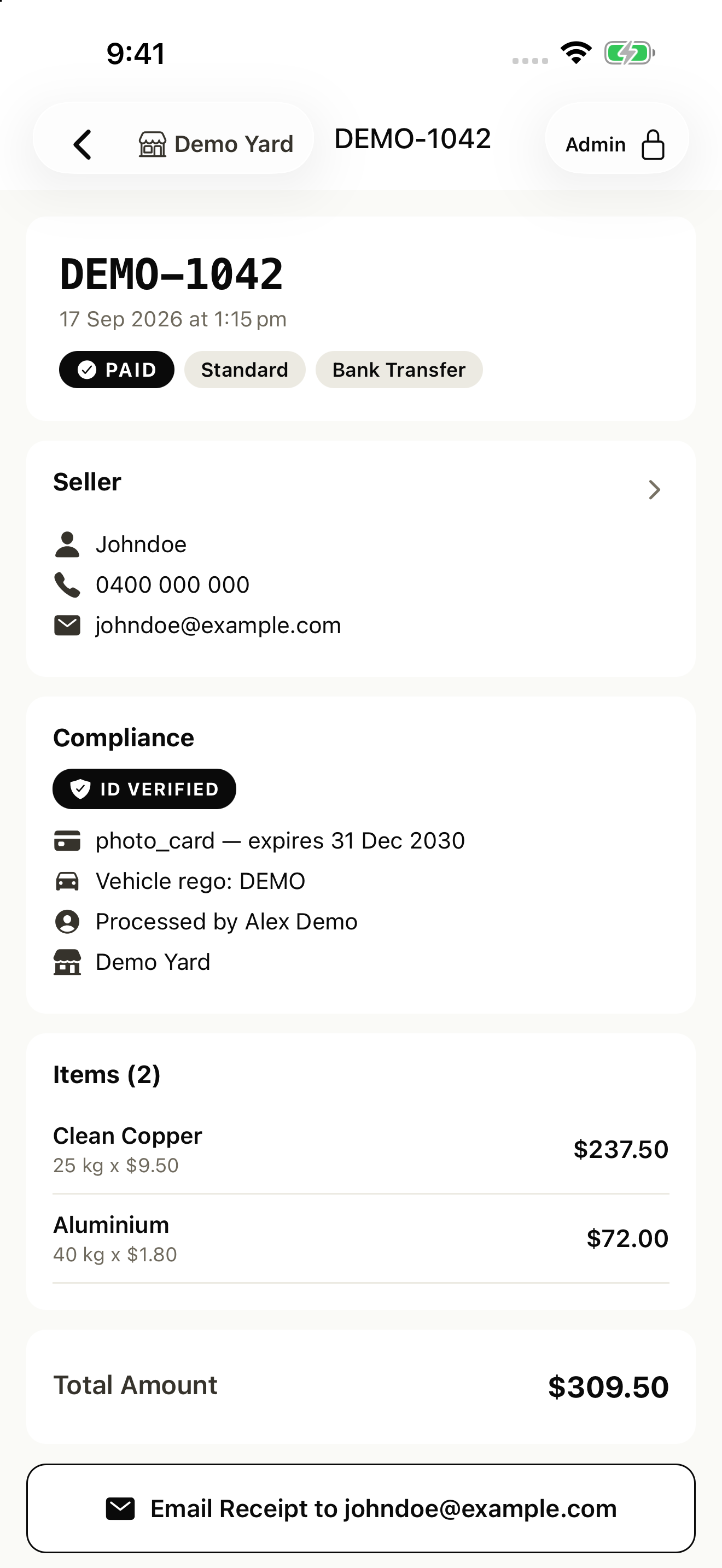
AltScrap app · demo data
From a one-off drop-off to a regular corporate supplier, keep their details, purchases and receipts in the same app.
Record the seller’s ID, what they brought in, the weight and purchase price. Their purchase details become the receipt.
Keep their details ready for the next visit. Buying from their business? Record its ABN and GST details through supplier sign-up.
Set up regular and corporate suppliers with agreed prices, business details and an accounts contact for their paperwork.
For eligible suppliers, AltScrap automatically prepares the tax invoice (RCTI) from your purchase details. You don’t have to wait for the supplier to send an invoice.
Sync the purchase to MYOB or Xero as a supplier bill, without entering the scrap, weight and price again.
RCTIs are for eligible GST-registered suppliers with an agreed RCTI arrangement. Public sellers receive a purchase receipt.
Example RCTI · GST included
Explore the seller record, purchase entry and receipt options.
Demo YardIndividual seller
Find returning sellers and their stored details. Capture ID for individual sellers and keep their document details with their record.
Demo YardChoose the scrap from your price list. Enter the net weight of each metal and check the purchase total.
Demo YardChoose a receipt option to preview the example.
Email the receipt or send a link to the seller’s phone. Sync the purchase details to MYOB or Xero without entering them again.
For yard owners, counter operators and the people checking the records after the rush.
Set scrap prices for each yard and supplier group. Add your staff and choose what they can access.
| Material | Unit | Standard tier |
|---|---|---|
| Copper bright | kg | A$8.40 |
| Aluminium clean | kg | A$1.10 |
| Brass mixed | kg | A$4.60 |
Example prices
Suppliers can submit their details online. Review ABN, GST status and agreements before approving them.
Collect the supplier’s ABN, GST details and RCTI agreement during sign-up, ready for eligible purchases.
Connect MYOB or Xero once. Sync purchase records in one tap. See which purchases have synced and which need attention.
Open a purchase and tap Sync to MYOB to send that record to your connected account.
For reporting, review eight built-in reports and export CSV files.
Example connection · sync one purchase at a time
Try AltScrap with your team. The buying app, yard management tools and your public website are included in the same subscription.
AUD · plus GST
No card needed to start. No per-seat charges.
Before your first live purchase, complete business details, set material prices and add your team. Connect your accounting app and check your seller requirements.
No. Individual sellers receive a purchase receipt. For eligible business suppliers, AltScrap prepares an RCTI from the purchase details. Your yard and the supplier must have ABNs and be registered for GST, GST must apply to the purchase, and an RCTI agreement must be in place.
A physical buying site with its own address, hours and price list. Two yards are two stores; a second scale at the same yard is not another store.
Subscribe in Billing to continue. If you do nothing, new purchases pause; records, reports and settings remain available. Monthly subscriptions are billed by card through Stripe.
Open the purchase to email the receipt or send a receipt link to the seller’s phone by SMS. Their email address or a valid phone number needs to be on file.
Explore the app screens above to see seller details, weights, prices and receipt options. Start a 30-day free trial when you’re ready to try AltScrap with your team.
From the scrap purchase to your accounting records, keep the details together.